This weekly debrief is for paying supporters of my work. Please only read if you’ve paid. Thanks!
→ Click here if you've paid ←
This week has been spent connecting the front-end of the Bedrock Public Library to the back-end, and figuring out some of the more advanced features of the frameworks I’m using. I could barely type at the start of the week, but my arm is doing a lot better now.
One page
The first page of the website that I’ve been building has been the ‘Browse Authors’ page, which shows a list of every person who can publish works to the library. It’s a decent learn-how-to-do-things page because it loads and renders data from the back-end API and allows me to play around with making components (such as the data table).
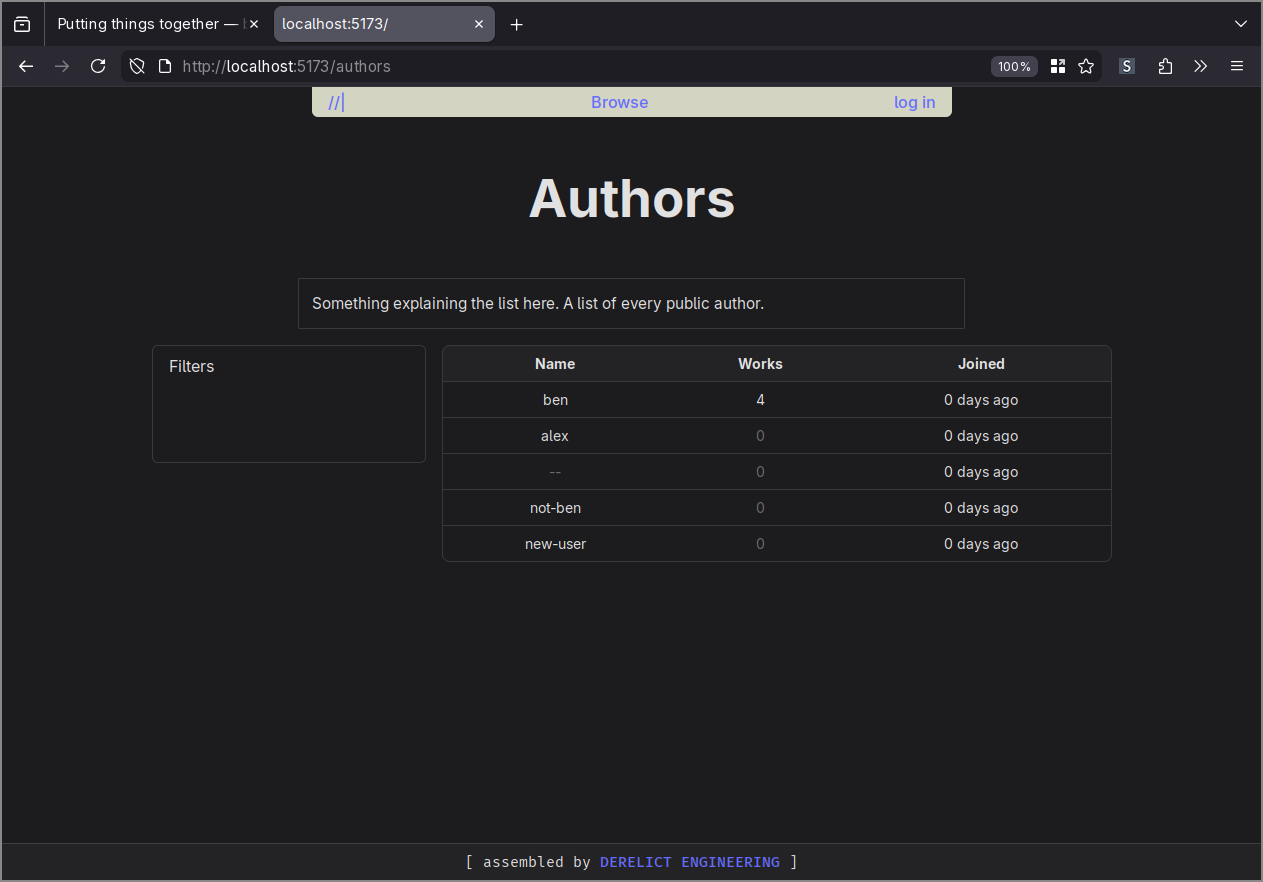
I was using a hand-coded array of dummy information while I figured out how the front-end side of things was supposed to work, and once that was all sussed I decided to swap it out for data loaded from the back-end API. This could not have been more difficult.
I feel exhausted just thinking about this ordeal, so here’s a quick bullet list of what went down:
- The browser refused to make a request to the back-end because it was on a different origin, and the Cross-Origin Resource Sharing pre-flight check for that route was failing (CORS is a massive pain).
- I figured out how to correctly handle CORS preflight requests in the back-end by adding another library.
- The browser still refused to make the request.
- I figured out how to serve the back-end with
https://, using self-signed certificates and yet another library (I didn’t really want to do this, TLS is going to be handled bynginxin production, but the browser wants what the browser wants). - The browser still refused to make the request.
- I figured out how to add an exception to the browser so that it trusts my self-signed certificates.
- A change! This time it’s the NodeJS front-end development server thing that’s refusing to make the request (it does some kind of server-side rendering thing, making the request from the server).
- I figured out how to relax the NodeJS server thing so that it trusts my self-signed certificates.
- It finally works, hooray.
Anyway, after all that I was finally able to swap out the dummy data for live data, and I shouldn’t have to touch any of it ever again.
Multiple pages
The next step was to add other pages to the website, so that you can click on a table row to take you to the page for that author. It took me a moment to realise that Svelte (the framework I’m using) doesn’t support this, it’s just a component framework. What I really needed was SvelteKit, the all-in-one web app development framework thing built on top of Svelte.
I’d seen plenty of mention of SvelteKit already, but I’d assumed that it only added the ability to develop a back-end API alongside the front-end in JavaScript (this was not a feature that I needed). What I’d missed was that it also adds a facility for creating and navigating between different pages (a ‘router’, in modern front-end parlance).
I’m not sure there’s much to elaborate on here. I added another library to the front-end code, I worked through more tutorials, and now I’ve got multiple different pages on the front-end. I’m still very satisfied with how things are going in the front-end department, it’s very easy to work on.
One cool trick that Svelte provides is server-side rendering. My usual experience with dynamic websites is for the page to load in with either no data or with a bunch of greyed-out placeholder components, and only after an uncomfortably long pause will the real content be loaded in. With server-side rendering however, the content comes pre-baked into the page, so it feels just like browsing a static website. It’s probably hideously complex behind the scenes, but I don’t have to worry about it.
Tables
One piece of work that I’m particularly proud of is the table component I’ve been using. Existing table components that I could’ve pulled in as libraries are all immensely complex, because they have to support every possible feature that someone might want, so I made my own simpler one instead.
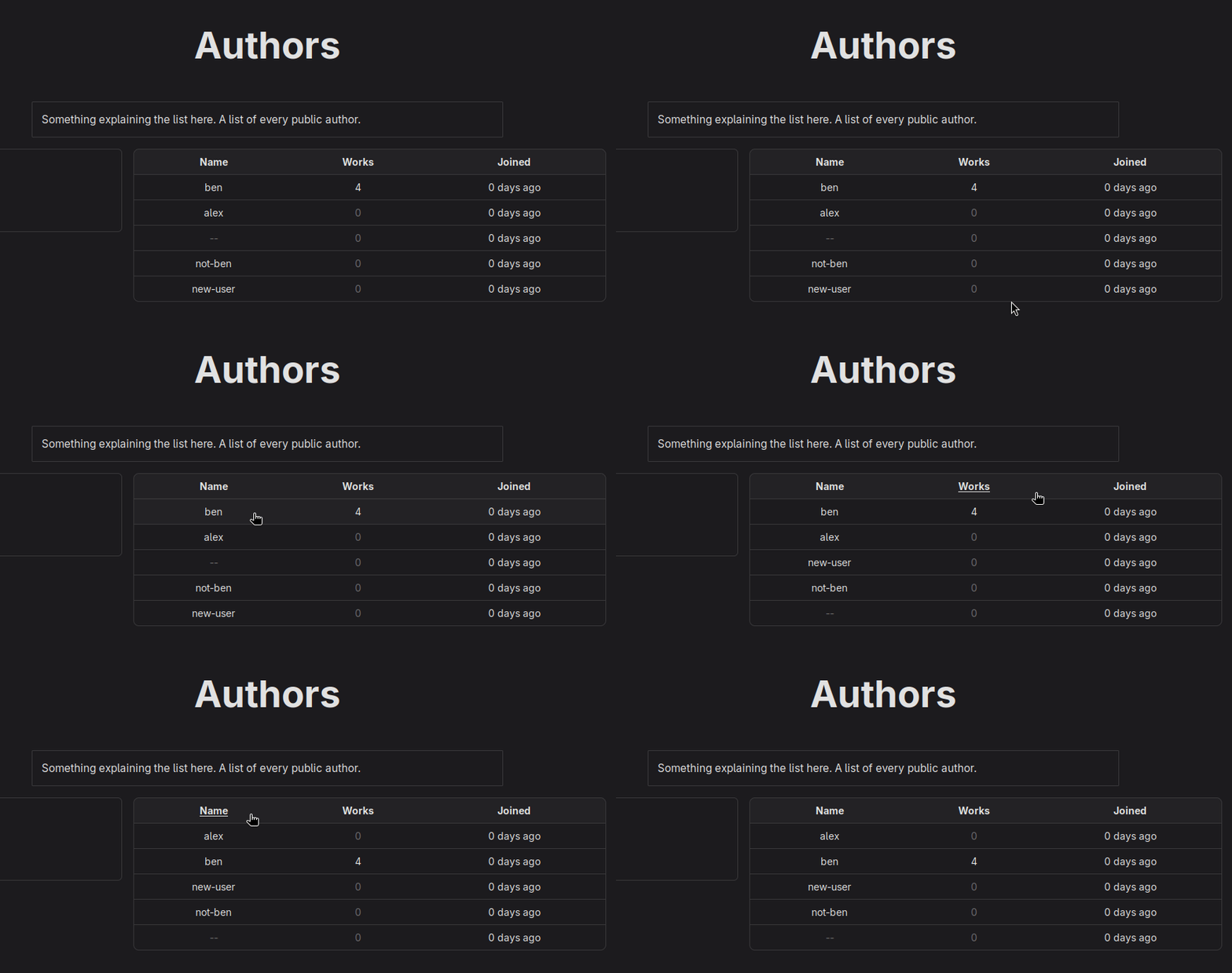
There’s probably no value in writing out how it all works, so here’s a really quick summary: You pass in an array of objects representing the ‘items’ to display, then a list of objects representing the column definitions, and then the table extracts and renders everything really nicely.
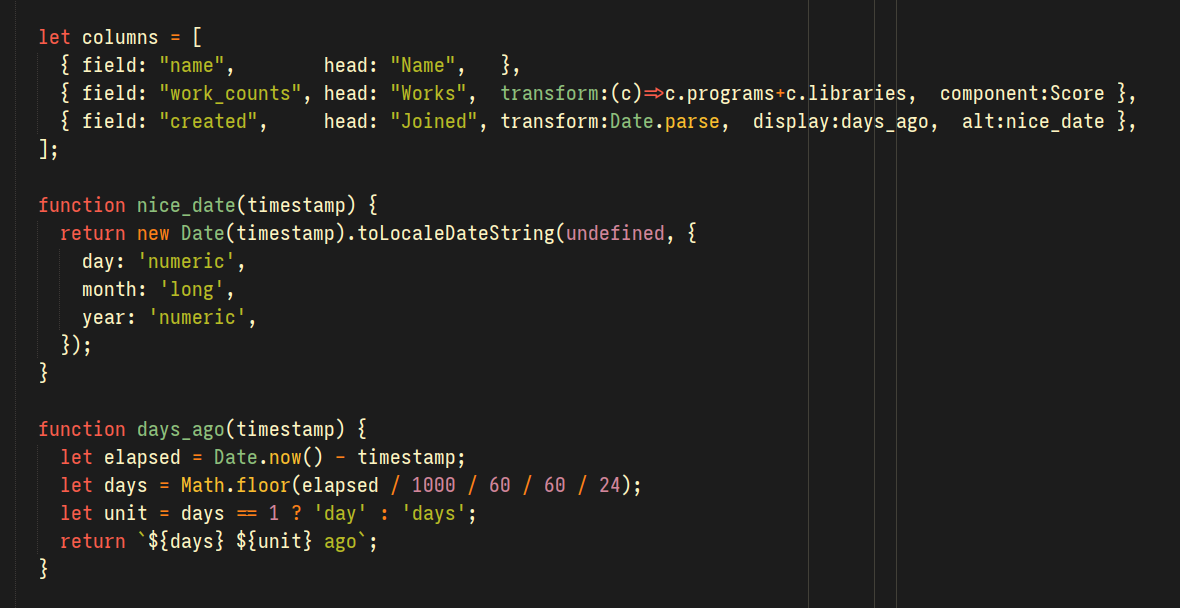
You can click on the headers to sort the columns, you can pass in functions to extract and transform the values before they’re rendered, you can pass in a custom component to render the values in a column. It’s all very cool.
Onwards
Now that I’ve figured out all of this scaffolding-level stuff, I’m finally starting to pull together a cohesive user interface and website structure. I’ll be able to work a lot faster and throw together a lot more of the website.
This coming week is the final week of the month though, and I’m not going to be able to have the Bedrock Public Library completed by then. What I’ll aim for instead is a usable prototype, something with accounts and authentication all working so that it doesn’t come crashing down around my ears. It’ll probably take another month of work to implement the actual library features, but I’ll have a solid foundation to build on.
Thanks
Thank you so much for your support with these projects, I’m having a blast working on them. See you next week!